
WhatsApp & In-App Notifications
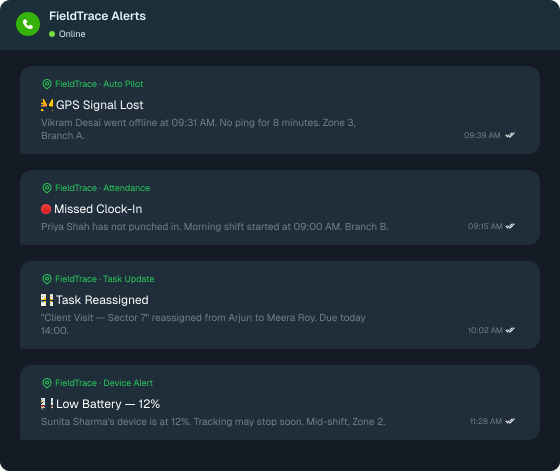
Feature Highlights
Spotting a problem is half the job. Getting it to someone who can fix it—fast—is the other half.

Multi-Channel Delivery
Web, mobile, email, and WhatsApp—set event by event, from one place.

Auto Pilot Alerts
Pick a trigger, the recipients, and the channel. FieldTrace takes it from there.

Instant WhatsApp Alerts
Urgent updates land in the one app your managers never close.
Features Showcase
- WhatsApp Alerts

- In-App Notifications

- Auto-Pilot

- Attendance Alerts

- Device & GPS Alerts

- Task Updates

- Comments & Mentions

- Notification Controls

WhatsApp Alerts
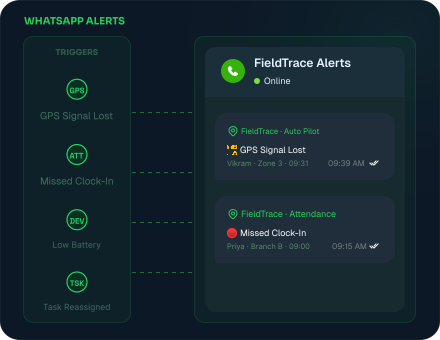
Your managers won't open another dashboard between visits. They will open WhatsApp. So that's where our WhatsApp alerts for field teams go.
- Auto Pilot alerts on attendance, GPS, and device health
- New tasks, task moves, and due-date changes
- New comments, without opening FieldTrace
In-App Notifications
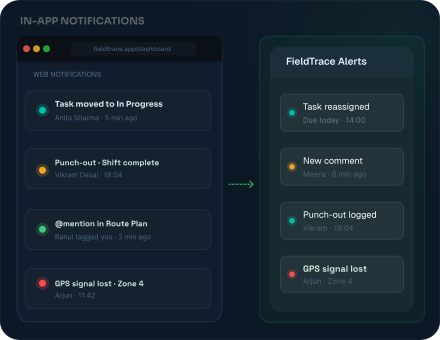
Not every update deserves a WhatsApp ping. FieldTrace's in-app notifications carry the rest—on the web for managers, on mobile for teams in the field.
- Web notifications on the dashboard
- Mobile notifications in the FieldTrace app
- Every task, comment, and people update covered
Auto-Pilot
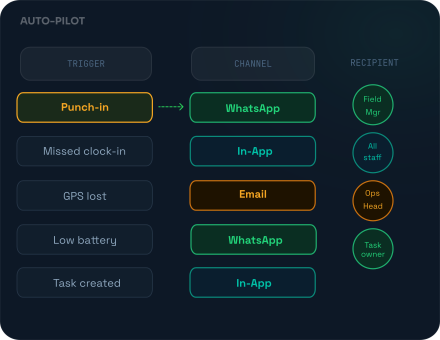
Pick a trigger, choose who hears about it and on which channel, and Auto Pilot does the watching for you.
- 10+ triggers, from punch-ins to low battery
- In-app, email, or WhatsApp—your pick, per alert
- Every triggered alert saved in Alert Logs
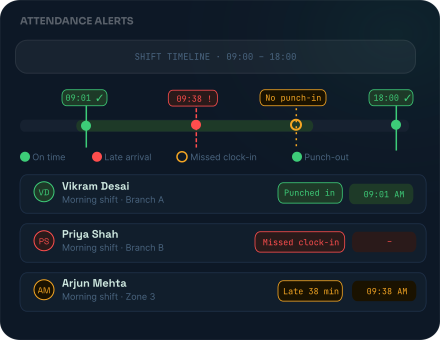
Attendance Alerts
FieldTrace's employee attendance alerts keep managers informed throughout the day without checking the dashboard, so attendance issues are followed up the same day, not at month-end.
- Punch-ins and punch-outs, as they happen
- Missed clock-ins when the tracker doesn't start on time
- Absenteeism beyond allotted absences
Device & GPS Alerts
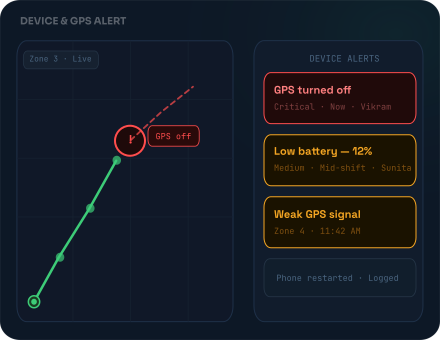
FieldTrace's real-time field alerts notify managers when a device or GPS issue interrupts tracking, so they can fix it before location data goes missing.
- Know the moment GPS is turned off or the signal weakens
- Get warned when battery falls below your set level
- Find out when a phone restarts, enters power saving, or stops tracking
Task Updates
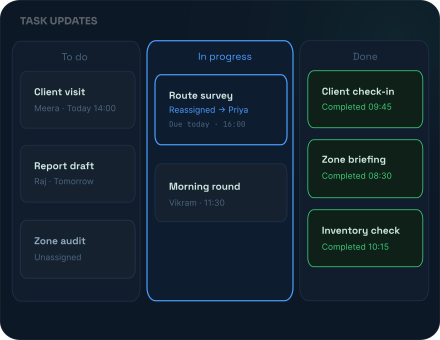
With WhatsApp task notifications and in-app updates, every change reaches the people it affects.
- Know the moment a task is created, moved, or reassigned
- Keep everyone in sync on priority, date, and estimate changes
- See when timers start or stop and files are added or removed
Comments & Mentions
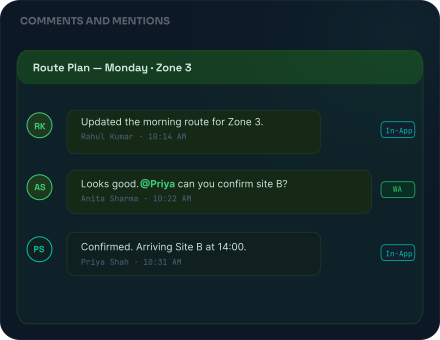
Tag someone, and they know. FieldTrace notifies people the moment they're mentioned or the conversation moves.
- Get notified when you're @mentioned in a task or comment
- Read new comments on web, mobile, email, or WhatsApp
- Know when a comment is deleted, so nothing disappears unnoticed
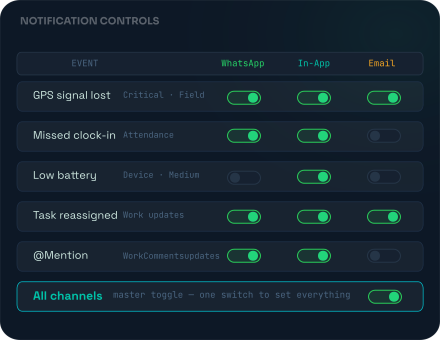
Notification Controls
More alerts don't give you more control. Rather, better-routed ones do. Our field team notification system lets you decide, event by event, which channel carries what.
- Channel toggles for every single event
- One "All" switch to set everything at once
WhatsApp Alerts
Your managers won't open another dashboard between visits. They will open WhatsApp. So that's where our WhatsApp alerts for field teams go.
- Auto Pilot alerts on attendance, GPS, and device health
- New tasks, task moves, and due-date changes
- New comments, without opening FieldTrace

Never Miss a Field Update
See how our WhatsApp & in-app notifications keep your managers updated on attendance, device issues, and tasks—wherever they are.

Frequently Asked
Questions
Straight answers on what gets sent, where it goes, and how to keep every alert worth reading.
Which events can trigger a notification?
FieldTrace sends two kinds of notifications. Auto Pilot alerts cover field activity, such as punch-ins and punch-outs, missed clock-ins, absenteeism, GPS or signal issues, low battery, and device restarts. Work notifications cover task updates, such as new or moved tasks, changes to assignees or due dates, comments, and mentions.
Why send field alerts on WhatsApp instead of just an email?
Won't this flood my managers with notifications?
Is it compliant to send field alerts to employees on WhatsApp?